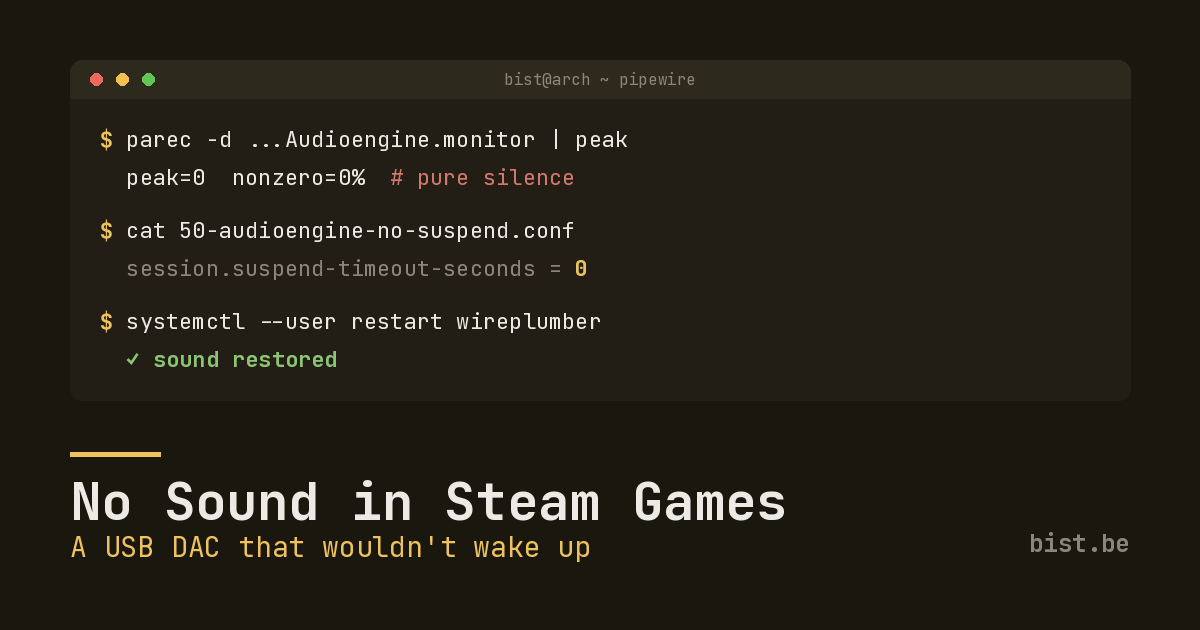
My desktop audio worked perfectly. System sounds, music, video calls, the lot. But the moment I launched a Steam game through Proton, the audio went dead — and not just the game. Everything went silent until I quit, at which point sound came back as if nothing had happened.
This is the story of chasing that down to its actual cause, which turned out to be nowhere near where I started looking.
The Usual Suspect: 32-bit Libraries
If you game on Linux and lose audio, the first advice you’ll get is “install the 32-bit audio libraries.” Steam’s runtime and a lot of older and Proton titles are 32-bit, and they need 32-bit client libraries to talk to PipeWire. Fair enough:
sudo pacman -S lib32-pipewire lib32-libpulse lib32-alsa-plugins lib32-alsa-lib
Keep lib32-pipewire on the same version as the 64-bit pipewire package, then fully exit Steam — actually quit it, don’t just close the window — and relaunch so it picks up the new libraries.
I installed them. Restarted Steam. Launched the game.
Still silent.
So the libraries were necessary, but they were not the bug.
Proving the System Was Innocent
Before blaming the game, I wanted to know whether the audio was even reaching my speakers. PipeWire makes this easy: every sink exposes a .monitor source you can record from to capture exactly what’s being played.
First, confirm the game’s audio stream is routed to the right place:
pactl list sink-inputs
It was. The game’s stream showed up on my Audioengine USB speakers, 100% volume, not muted, not corked. PipeWire had the audio. So why couldn’t I hear it?
Time to measure the actual signal. I recorded a few seconds off the sink’s monitor while the game was making noise:
parec -d alsa_output.usb-Audioengine...analog-stereo.monitor \
  --format=s16le --rate=48000 --channels=2 > /tmp/mon.raw
Then I checked the peak sample value, and the result cracked the whole thing open:
samples=294912 peak=0 nonzero=0%
Pure digital silence. Hundreds of thousands of samples, every single one a zero. The sink was in the RUNNING state, the stream was connected at full volume — and the data flowing through it was nothing but silence.
The Tell: Switching Outputs Fixed It
The breakthrough came from a workaround I’d stumbled into. If I tabbed out of the game, switched my default audio output to something else, then switched it back to the speakers, sound suddenly worked.
That’s a very specific signature. Switching the default output forces PipeWire to tear down and re-create the device node. If re-initialising the node fixes it, then the node was in a bad state to begin with — and the most common bad state for an idle audio device is suspended.
PipeWire suspends sinks after a short period of inactivity to save power and release the hardware. Most DACs resume from this instantly and transparently. Mine — an Audioengine 2+ USB DAC — does not. Here’s the sequence that bit me:
- The DAC sits idle and PipeWire suspends it.
- I launch a game. Proton/Wine opens the sink and starts streaming.
- The DAC never properly wakes — it stays asleep while the stream pours zeros into it.
- Result: silence, for the game and everything else mixed into that sink.
- I quit the game (or switch outputs), the node re-initialises, the DAC wakes, and audio returns.
The desktop sounds worked earlier only because they happened to hit the device during a window where it resumed cleanly. Games, opening the device cold from a suspended state, consistently lost the race.
The Fix: Stop the DAC From Suspending
The clean fix is to tell WirePlumber never to idle-suspend this specific device. On WirePlumber 0.5+ that’s a small drop-in config keyed to the node name.
First, get the exact node name:
pw-dump | grep node.name | grep -i audioengine
Then create ~/.config/wireplumber/wireplumber.conf.d/50-audioengine-no-suspend.conf:
monitor.alsa.rules = [
  {
    matches = [
      {
        node.name = "alsa_output.usb-Audioengine_Ltd._Audioengine_2__ABCDEFB1180003-00.analog-stereo"
      }
    ]
    actions = {
      update-props = {
        session.suspend-timeout-seconds = 0
      }
    }
  }
]
Swap in your own node name. Then restart the session manager:
systemctl --user restart wireplumber
To verify it took effect, play a brief sound, leave the system idle for ~10 seconds, and check the sink state:
pactl list short sinks | grep -i audioengine
It should stay IDLE instead of dropping to SUSPENDED. The device is now always awake and ready, so when a game opens it there’s no suspended node to get stuck on.
Relaunched the game. Sound. Finally.
Takeaways
- “No sound in games” is not always a 32-bit library problem. Install the libs — they’re genuinely required — but don’t stop there if it doesn’t fix it.
- Measure, don’t guess. Recording from a sink’s
.monitorsource and checking the peak sample value tells you definitively whether real audio is flowing or whether you’re staring at digital silence. That one measurement saved me from rabbit-holing on volume sliders and in-game settings. - A workaround is a diagnostic. “It works if I switch outputs and back” wasn’t just a band-aid — it pointed straight at node re-initialisation, and from there to idle-suspend.
- Some USB DACs just don’t resume cleanly. If you have one,
session.suspend-timeout-seconds = 0for that node is a perfectly reasonable thing to set and forget.
If your Linux gaming audio is mysteriously silent while the desktop is fine, go measure the monitor source. The answer is in the samples.